Launchfy.support is a service that lets you create a site like this —
with the “help” part replaced by your own app name — in just three minutes.
What is app-ads.txt?
app-ads.txt is a mechanism for app developers to explicitly declare the authorized sellers of their ad inventory. It aims to prevent ad fraud and create an environment where advertisers can place ads with confidence.
Most networks that support in-app ads, such as AdMob, recommend or require placing an app-ads.txt file.
Requirements for publishing app-ads.txt
To use app-ads.txt, prepare the following:
-
Secure a unique domain
app-ads.txt must be published at "https://your-domain/app-ads.txt". Therefore, you need a unique domain that does not overlap with other apps. -
Place app-ads.txt at the webroot
You need permission to place app-ads.txt at the web server's document root. Most website builders do not allow this. -
Reflect each ad network's required entries correctly
Ad providers will give you entries like the following, which you must write into app-ads.txt:google.com, pub-0000000000000000, DIRECT, f08c47fec0942fa0
To satisfy items 1 and 2, you previously had to build and host your own web server.
How to set up app-ads.txt with Launchfy.support
With Launchfy.support, you can publish app-ads.txt easily without building your own web server.
- In the app-ads.txt publishing menu, enter and save the entries provided by your ad networks.
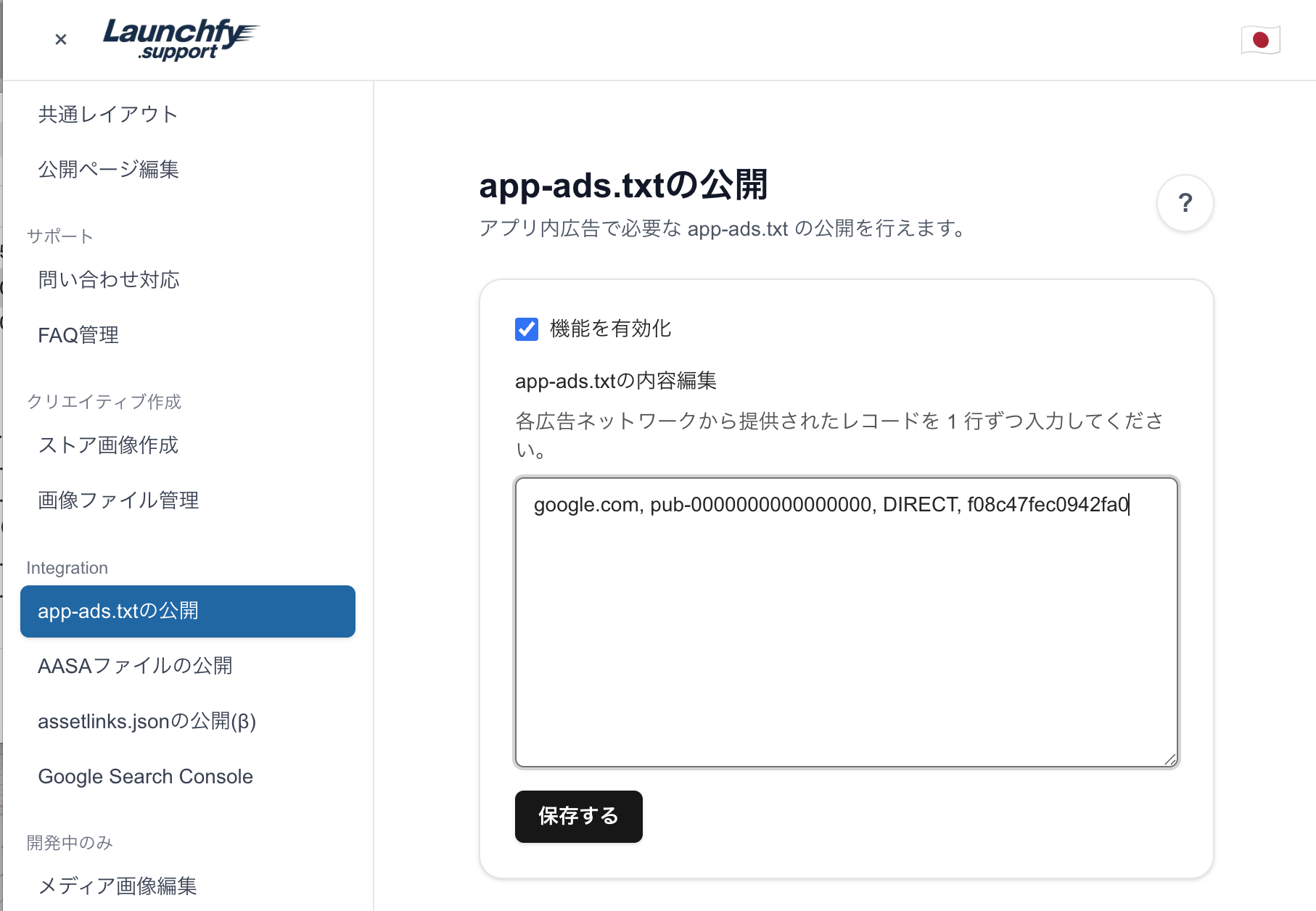
That's it. With this, publishing app-ads.txt is complete!
Notes:
- For iOS, the App Store "Marketing URL" and for Google Play, the "Developer website" URL must use the same domain. Set one of the pages created on Launchfy.support as that URL.
- Approval by providers can take time. For AdMob it may take up to about a week, so please wait patiently until approval.
What used to require building a domain and website can now be done in about 5 minutes.